



Array
let’s explore examples of .map(), .filter(), and .find() in TypeScript.
1. map()
The .map() method is used to iterate over an array and transform each element into something else, returning a new array with the transformed elements. Here’s an example using TypeScript:
// Example: Doubling each element in an array
const numbers: number[] = [1, 2, 3, 4, 5];
const doubledNumbers: number[] = numbers.map(num => num * 2);

console.log(doubledNumbers); // Output: [2, 4, 6, 8, 10]
If you want to use .map() to transform only certain values in an array based on a condition in TypeScript, you can achieve this by including an if statement or a ternary operator inside the callback function. Here’s an example:
// Example: Map only even numbers to their squares, leave odd numbers unchanged

const numbers: number[] = [1, 2, 3, 4, 5];
const transformedNumbers: number[] = numbers.map(num => {
    if (num % 2 === 0) {
        return num * num; // Square even numbers
    } else {
        return num; // Leave odd numbers unchanged
    }
});

console.log(transformedNumbers); // Output: [1, 4, 3, 16, 5]
In this example, the .map() method iterates over each element in the numbers array. If the number is even (determined by num % 2 === 0), it squares the number (num * num). Otherwise, it leaves the number unchanged. The resulting array, transformedNumbers, contains the transformed values based on the condition.
This approach allows you to selectively transform array elements based on specific conditions using .map() in TypeScript.
2. filter()
The .filter() method is used to iterate over an array and return a new array containing only the elements that satisfy a condition. Here’s an example:
// Example: Filtering even numbers from an array
const numbers: number[] = [1, 2, 3, 4, 5];
const evenNumbers: number[] = numbers.filter(num => num % 2 === 0);

console.log(evenNumbers); // Output: [2, 4]
3. find()
The .find() method is used to find the first element in an array that satisfies a provided testing function. It returns the value of the first element in the array that satisfies the condition, or undefined if no such element is found. Here’s an example:
// Example: Finding the first even number in an array
const numbers: number[] = [1, 3, 5, 6, 7];
const firstEvenNumber: number | undefined = numbers.find(num => num % 2 === 0);

console.log(firstEvenNumber); // Output: 6
These examples demonstrate the basic usage of .map(), .filter(), and .find() in TypeScript. These methods are commonly used in functional programming and can significantly simplify array manipulation tasks.
Arrays of objects
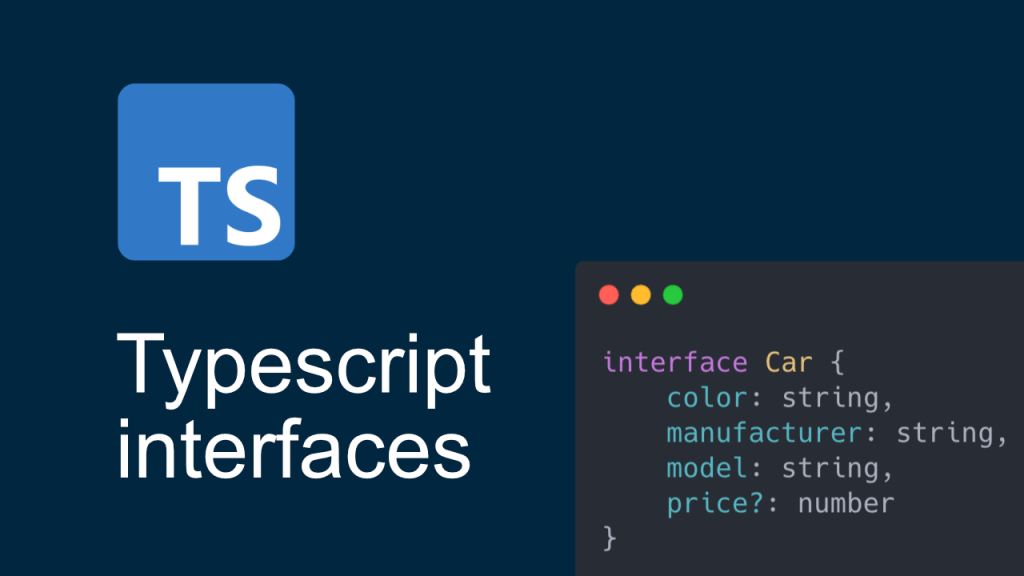
interface CompanyDetails {
    company: string;
    address?: string; // Optional property '?'
    departments?: Array<string>; // Optional property '?'
    employees: Array<object>;
    projects: Array<object>;
}

const jsonData: CompanyDetails = {
    company: 'TestCompany',
    departments: ['Engineering', 'Data Science', 'Design'],
    employees: [
        {
            id: 1,
            name: 'John Doe',
            position: 'Software Engineer',
            skills: ['JavaScript', 'React', 'Node.js'],
            dob: '01/02/1990',
        },
        {
            id: 2,
            name: 'Alice Smith',
            position: 'Data Scientist',
            skills: ['Python', 'Machine Learning', 'SQL', 'Node.js'],
        },
        {
            id: 3,
            name: 'Bob Johnson',
            position: 'UX Designer',
            skills: ['Node.js', 'UI/UX Design', 'Wireframing'],
            dob: '05/02/1990',
        },
    ],
    projects: [
        {
            projectId: 'P001',
            projectName: 'E-commerce Platform',
            team: ['John Doe', 'Alice Smith'],
            status: 'In Progress',
        },
        {
            projectId: 'P002',
            projectName: 'Data Analytics Dashboard',
            team: ['Alice Smith', 'Bob Johnson'],
            status: 'Completed',
        },
        {
            projectId: 'P003',
            projectName: 'Mobile App Redesign',
            team: ['John Doe', 'Bob Johnson'],
            status: 'Planning',
        },
    ],
};
From the above example
// check if a property exists in an object
const hasProperty = (obj: object, key: string) => {
    return key in obj;
};

console.log(hasProperty(jsonData, 'employees')); //output --> true
console.log(hasProperty(jsonData, 'address')); //output --> false
console.log(hasProperty(jsonData.projects[0], 'projectId')); //output --> true
In the real time projects many JSON data like API responses need to validate with different combinations, lets take a sample scenario from the above jsonData: CompanyDetails need to get the employee DOB based on the the projectId as key for API response validation.
const filterTeamByProjectId = (projectId: string) => {
    return jsonData.projects.filter((project: any) => project.projectId === projectId)
    .map((project: any) => project.team)
    .join(' ')
    .split(',');
};

interface employeeInfo {
    name: string;
    dob: Date
}

const getEmployeesDob = (projectId: string) => {
    const teamMembers: any = filterTeamByProjectId(projectId);
    const employeeDob: employeeInfo[] = [];

    teamMembers.forEach((teamMember: string) => {
        const employee: any = jsonData.employees.find((employee: any) => employee.name === teamMember);
            employeeDob.push({name: teamMember, dob: employee.dob});
    });
    return employeeDob;
};

console.log(getEmployeesDob('P001'));
In the above code first we are filtering the team based on projectId from the jsonObject then from the team array finding each teamMember DOB
const jsonDataFormat2 = {
  companyData: {
    projects: [
      {
        id: 1,
        name: "Project 1",
        status: "Active",
        details: {
          startDate: "2022-01-01",
          endDate: "2022-12-31",
          employees: ["John Doe", "Jane Doe"],
        },
      },
      {
        id: 2,
        name: "Project 2",
        status: "Inactive",
        details: {
          startDate: "2021-01-01",
          endDate: "2021-12-31",
          employees: ["Alice", "Bob"],
        },
      },
    ],
  },
};

const filterByEmployees = (employee: string) => {
  return jsonDataFormat2.companyData.projects
    .filter((project: any) => project.details.employees.includes(employee))
    .map((project: any) => project.status).toString();
};

console.log(filterByEmployees("Jane Doe"));

//Output: --> Active
const jsonDataFormat3 = {
companyData: {
project1: {
id: 1,
name: "Project 1",
status: "Active",
details: {
startDate: "2022-01-01",
endDate: "2022-12-31",
employees: ["John Doe", "Jane Doe"],
},
},
project2: {
id: 2,
name: "Project 2",
status: "Inactive",
details: {
startDate: "2021-01-01",
endDate: "2021-12-31",
employees: ["Alice", "Bob"],
},
},
},
};
const isObjectExists = () => {
if ('project1' in jsonDataFormat3.companyData) {
console.log('Yes');
}
else console.log('No')
}
console.log(isObjectExists()); //Output --> Yes
const getDetailsFromJsonDataFormat3 = () => {
return (jsonDataFormat3.companyData['project1']['details']);
}
console.log(getDetailsFromJsonDataFormat3());
// Output: {
// startDate: '2022-01-01',
// endDate: '2022-12-31',
// employees: [ 'John Doe', 'Jane Doe' ]
// }
const filterFromJsonDataFormat3 = (key: string) => {
const filteredResults: any = getDetailsFromJsonDataFormat3();
console.log(filteredResults[key])
}
console.log(filterFromJsonDataFormat3('endDate')); //Output: 2022-12-31














 Kannan - Portfolio and Blogs